

Look, youve hit the ceiling on n8ns cloud plan. Maybe those 2,500 monthly executions arent cutting it anymore, or youre just tired of paying $20/month when you could run the same thing on a $5 VPS with zero limits.
Ive been there. You build out a few solid workflows, they start firing off regularly, and suddenly that execution cap becomes this annoying thing youre constantly monitoring. Self-hosting means unlimited executions and full controlbut first you need to cancel that cloud subscription without accidentally deleting months of work.
Heres what trips people up: clicking cancel subscription is easy. The part thatll wreck your day is losing everything you built when that deletion timer runs out. Well walk through the backup process first, then the cancellation, because doing it backwards is how you end up rebuilding workflows from memory at 2am.
TL;DR:
- Back up your workflows FIRSTuse copypaste or JSON export before touching that cancel button
- Your API keys and credentials dont transfer (youll recreate those manually)
- Your account runs until your billing cycle endsthen everything is deleted permanently
A video titled “###VIDEO_TITLE_TO_REPLACE###” from the Your Channel Name YouTube channel.
Why bother moving to self-hosted?
If youre running more than basic automation, the cloud pricing gets expensive fast. Starter at $20/month caps at 2,500 executions; Pro at $50/month bumps to 10,000. A $5$10 VPS gives you unlimited executions and full control.
Self-hosting also means its your stack, your rulesno waiting for features, no sharing infrastructure. The tradeoff: you manage updates, SSL, and uptime. If youre comfortable with Docker and a VPS, its straightforward.
Dont cancel until your self-hosted instance is live and youve test-run critical workflows.
Step Zero: Back up your workflows (do this FIRST)
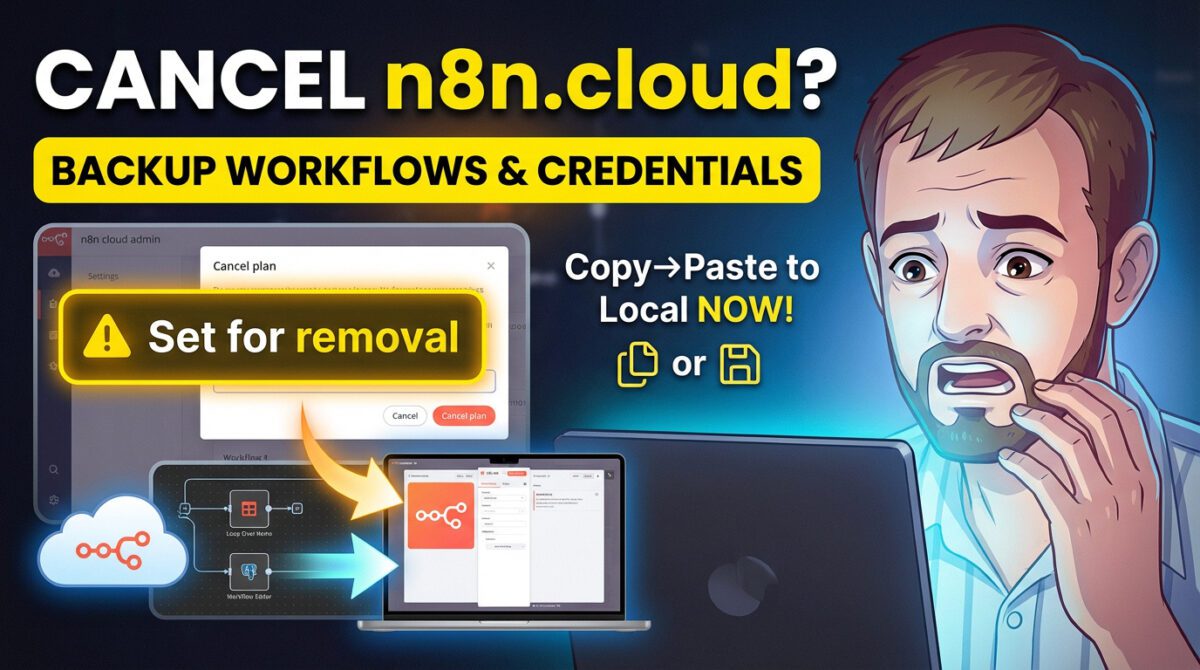
Once you confirm cancellation, the clock starts. When your billing cycle ends, n8n deletes your entire workspaceworkflows, credentials, execution logseverything. No grace period.
Copypaste method (fast)
- Open the workflow in your cloud instance
- Cmd+A / Ctrl+A to select all nodes, then Cmd+C / Ctrl+C
- In self-hosted, create a new workflow and paste
Pasting brings structure and node config, but credentials do not transfer. Youll see credential names, but keys/tokens must be recreated in the new instance.
JSON export (better for critical workflows)
- Open the workflow three dots Download
- Store the JSON safely (version control, cloud storage)
- In self-hosted, Import from File and upload
Export every workflow as JSON even if you copypaste. Its your safety net if anything breaks during migration.

Warning…
Your credentials wont transfer. API keys, database passwords, and OAuth tokens must be recreated in self-hosted. Schedule time for thisits tedious but necessary.
Actually canceling your subscription
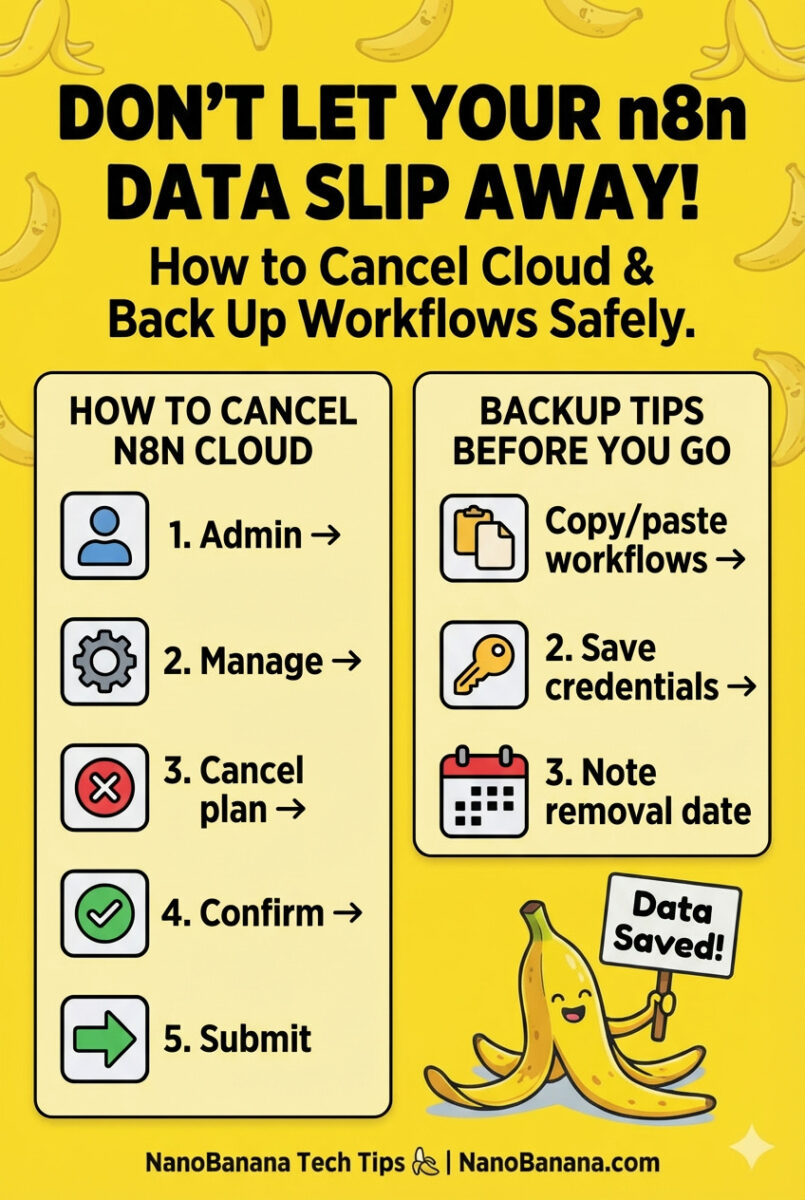
Hit the Admin Panel
Log into n8n Cloud and open Admin Panel. Youll see instance status and execution usage.
Click Manage, then hit the red Cancel plan button under your subscription details. This starts the process; nothing is deleted yet.
Type CANCEL
Confirm by typing CANCEL in all caps. This prevents accidental clicks.
Click the green confirmation button to finalize.
Suffer through the exit survey
You may be asked why youre leaving and what youre switching to. Its optional and doesnt affect your cancellation.
Before canceling, import a workflow into self-hosted and run a full test end-to-end.
What happens next
Immediately: Your status switches to Set for removal on [date] (end of your billing cycle). A yellow banner shows the deletion deadline.
Until the end date: Your instance runs normally. You can edit, execute, and migrate.
After the end date: The workspace is permanently deletedworkflows, credentials, and execution history. No recovery.

Heads up
Theres a Resubscribe button while youre still within the current billing cycle. After the deadline passes, your workspace is gone for good.
Setting up self-hosted (the cliff notes)
Docker on a VPS
Most common approach. Grab a $5$10 VPS (DigitalOcean, Hetzner, Linode), install Docker, and use docker-compose. Aim for 2GB+ RAM in production.
Self-hosting platforms
Tools like Coolify or Railway abstract server management. Slightly more expensive than raw VPS, but easier if youre not deep into Linux.
Local Docker
Great for testing or personal use. Remember: scheduled workflows require your machine to be online 24/7.
Recreating credentials (the tedious part)
- Go to Settings Credentials in self-hosted
- Click Add Credential and select the integration type
- Enter API keys, OAuth, or DB connection details; save & test
- Open each imported workflow and reassign credentials on affected nodes
Cost snapshot
| Plan | Cloud cost & executions | Self-hosted & savings |
|---|---|---|
| Starter | $20/mo 9 2,500 execs | $5$10 VPS (unlimited) 9 save ~$10$15/mo |
| Pro | $50/mo 9 10,000 execs | $10$20 VPS (unlimited) 9 save ~$30$40/mo |
Dont make these mistakes
- Canceling before backing up: back up first, cancel second.
- Assuming credentials transfer: they dont. Recreate them.
- Forgetting webhook URL changes: update external services to the new self-hosted URL.
- Using SQLite in production: prefer PostgreSQL for reliability and performance.
- Waiting until the deadline: test workflows in self-hosted while cloud is still active.
Dos
- Export every workflow as JSON and store it safely.
- Spin up self-hosted and test imports before canceling.
Donts
- Dont assume credential secrets will copy over.
- Dont leave webhook updates until after deletion day.
Bottom line
Canceling n8n Cloud is a few clicks. The real work is backing up, migrating, and retesting. Do those first, then cancel. Once youre running self-hosted, youll enjoy unlimited executions and full control.
Frequently asked questions (FAQ)
Yes. Theres a Resubscribe button available until your current billing cycle ends. After the deletion date passes, your workspace is removed and cant be restored.
No. Execution history remains in your cloud instance and is deleted with the workspace. Export or screenshot any data you need before canceling.


