TL;DR
You can automate AI image generation with Python by using GPT-4o to write detailed prompts and sending them directly to DALL–E 3 for the final images—all in one looped script.
The run came out to roughly $0.16 per finished design, with most of the spend coming from DALL–E 3 image generation and a smaller portion from GPT-4o prompt generation.
You don’t need to be a developer, but you do need comfort with installing Python, running pip, managing an API key, and executing a script from the command line.
The script can embed the full prompt in the filename, which makes it easy to search, organize, and recreate designs later without guessing what you typed.
I wrote a simple Python script that auto-generates AI artwork for a print-on-demand store, and honestly, I’m kind of obsessed with it. 🤙 The whole thing cranked out 85 unique designs for roughly $14 in API costs. No design degree, no fancy software subscriptions, just a 187-line script connecting two OpenAI models together. If you’ve been manually generating AI images one by one for your e-commerce store, clicking, saving, renaming, repeat, this is gonna feel like going from a bicycle to a rocketship. 💪
Discover how to automate design creation for your POD store!
The Problem With Doing AI Art One at a Time
So I’m thinking of starting a print on demand store and I need some designs for the merchandise. And I was going to do them through using AI one by one by one, but that gets old fast.
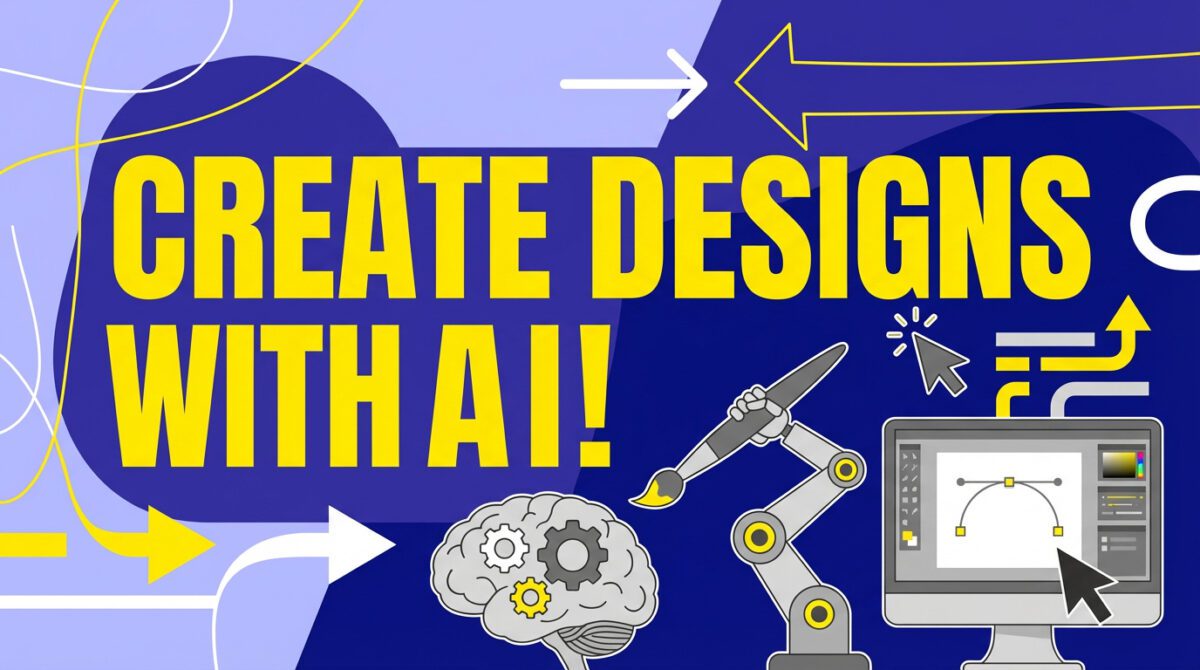
If you’ve spent any time in ChatGPT or Midjourney generating images manually, you know the drill. Type a prompt. Wait. Download. Rename the file to something useful. Open a new chat. Do it again. And again. It’s death by a thousand clicks, and the worst part is that most of the creative value is in deciding what to make, not in the repetitive mechanical steps of actually making it.
The fix is pretty obvious once you think about it: why don’t I just write a script and have it completely create the images for me and save them? That’s exactly what I did. And it works stupidly well.
How the Script Actually Works (The Two-Brain Approach)
The script is only 187 lines of Python. That’s it. And the core logic is surprisingly straightforward, it uses two different OpenAI models that talk to each other.

How the two models work together
GPT-4o acts as your creative director—it writes the detailed image prompts. DALL–E 3 acts as your artist—it generates the actual images from those prompts. Your script is just the middleman connecting them.
Here’s the flow:
Step 1: GPT-4o generates the prompt. The script tells GPT-4o that it’s a graphic designer and asks it to create a detailed, specific image prompt based on whatever theme or niche you’re going for. Skateboard designs, motivational posters, dog portraits, whatever your store needs. GPT-4o is great at this because it understands composition, color theory, and art direction in a way that produces genuinely good prompts, often better than what most of us would write by hand.
Step 2: DALL-E 3 generates the image. That prompt gets passed straight to the DALL-E 3 API, which creates a 1024×1024 image (or you can go landscape/portrait at 1792×1024). The image comes back as data, and the script saves it as a PNG.
Step 3: Smart file naming. This is the part I’m most proud of, honestly. The script saves each image into a designated folder and names it with the design theme, a sequential number, and the full prompt text. So you end up with files like skateboard_78_retro-neon-kickflip-over-sunset.png. You can always know what the prompt was that created this in case you want to recreate it.
Then it loops. Over and over and over. You walk away, make coffee, come back to a folder full of designs.
The Actual Code (Simplified)
If you don’t know any Python, it’s pretty actually easy, you just install it and copy paste. There’s some more to it, but because of AI, you really don’t need to know how to code anything anymore.
That said, I want to be honest: “you don’t need to know how to code” is a slight exaggeration. You don’t need to be a software engineer. But you do need to be comfortable enough to install Python, run pip install openai in a terminal, and paste in an API key. If you’ve ever installed a WordPress plugin or edited a Shopify theme file, you can handle this.
Here’s a simplified version of the core logic, based on patterns from the OpenAI Images API documentation:
from openai import OpenAI import os, base64 from pathlib import Path client = OpenAI(api_key=os.getenv('OPENAI_API_KEY')) def generate_prompt(theme): response = client.chat.completions.create( model="gpt-4o", messages=[ {"role": "system", "content": "You are a graphic designer..."}, {"role": "user", "content": f"Create an image prompt for: {theme}"} ] ) return response.choices[0].message.content def generate_image(prompt): response = client.images.generate( model="dall-e-3", prompt=prompt, size="1024x1024", quality="standard", n=1 ) return response.data[0].url # Loop through as many as you want for i in range(85): prompt = generate_prompt("skateboard artwork") image_url = generate_image(prompt) # ... download and save with descriptive filenameThat’s the skeleton. The real script has error handling, file-saving logic, and the smart naming convention, but this is the engine. Two API calls per image, running in a loop.

Protect your API key
Never hard-code your OpenAI API key directly into your script or share it publicly. Use environment variables (like os.getenv('OPENAI_API_KEY')) to keep it secure. If someone gets your key, they can run up charges on your account. This isn’t theoretical, it happens all the time.
What It Actually Costs (Real Numbers)
This is the part everyone wants to know, and I’ve got real numbers because I literally just ran this.
I’ve generated about 85 images and that’s cost me, let’s see, probably 12 bucks. $14. It’s $8.58 in images and then there’s an additional $2 in API calls for the text model, GPT-4o.
| Cost Component | Model | Amount |
|---|---|---|
| Image Generation | DALL-E 3 | ~$8.58 |
| Prompt Generation | GPT-4o | ~$2.00 |
| Misc. API overhead | — | ~$3.42 |
| Total for 85 images | — | ~$14.00 |
That works out to roughly $0.16 per finished design. Sixteen cents. For a unique, AI-generated piece of artwork with a custom prompt tailored to your niche. Compare that to hiring a freelance designer on Fiverr where even a cheap one runs $5-10 per design. At this cost, you could generate 500 designs for under $100 and just cherry-pick the best ones.