

I love the Bimber theme. It’s one of my favorite themes for WordPress. But one of the problems that come with it is a lot of manual updates.
In this post, I will show you how to manually update or reinstall the Bimber theme. I’ll show you how to do this using SiteGround hosting, but if you can access your theme’s files, the steps should be the same.
How to manually update the Bimber theme?
Follow the steps below to update your Bimber Theme manually.
Download the theme files
The first thing you’ll want to do is go to your theme forest account. You’re going to log in just like usual. Then, go over to downloads, and you’ll see all the things you’ve downloaded from Theme Forest.
Scroll down to your Bimber theme, click the download button, and click all files and documents. It’ll take a second to download.
Extract the file on your computer
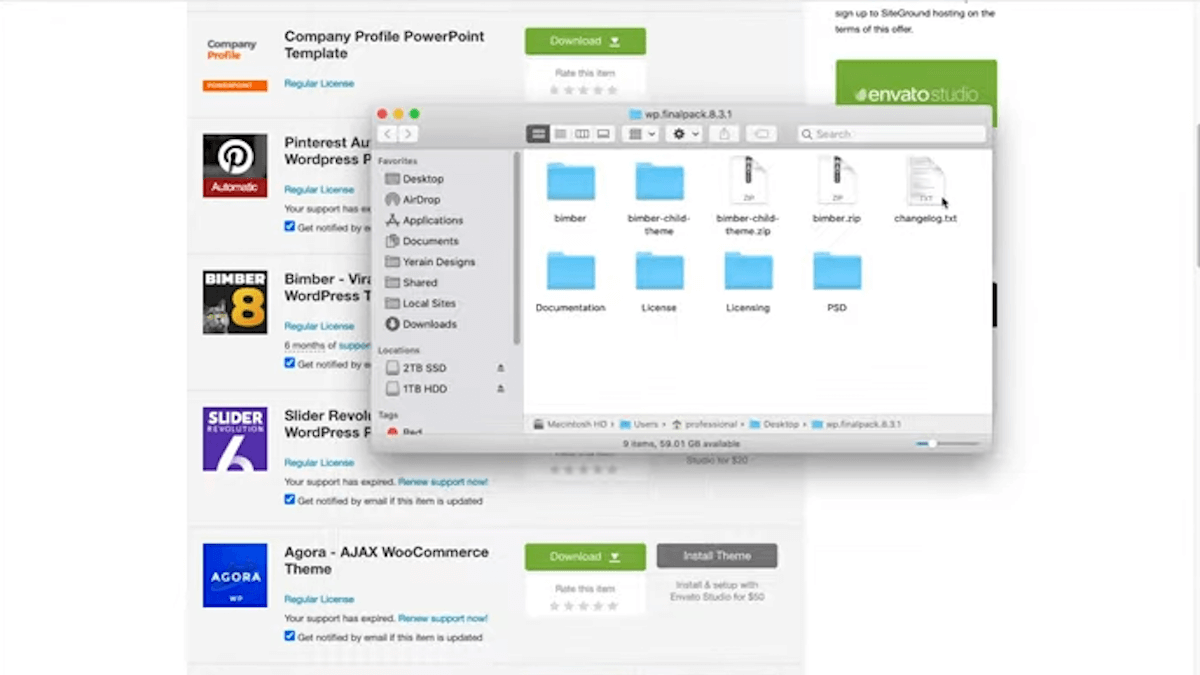
So now I will double-click this to extract the file onto my desktop. If you open this up, you’ll see a few items. We have the extracted Bimber and extracted Bimber child theme, the zip Bimber, the zip Bimber child theme, and the changelog, which will tell you all the new things from all of the updates that have been released.
Go to your hosting account
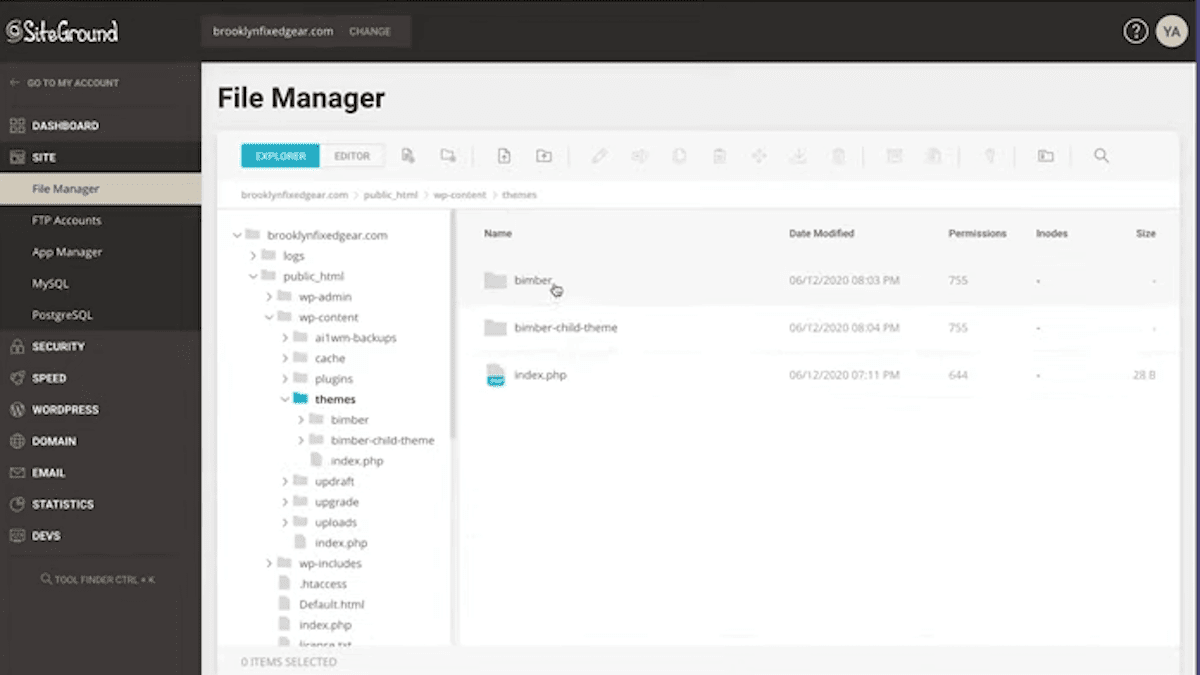
The next thing you’re going to do is go to your Site Grounds account and log in. Then, go to the website you’re trying to update. Click on Site Tools. Then go to file manager.
Then go to Public HTML > WP content Themes. The two themes reflect the two themes we have installed on this website.
Rename the old theme
All right. So the next thing that I want to do is to rename the old theme “Bimber theme old” to avoid name duplication issues.
Next, click File Upload. It already opened up this file for me, but if it didn’t, what you would do is you would double click this one and then just drag the Bimber theme into this section and just click open. Remember, you’re uploading the Bimber zip, not uploading the child theme or the unzipped version.
Pull out the correct Bimber folder from the extracted zip file
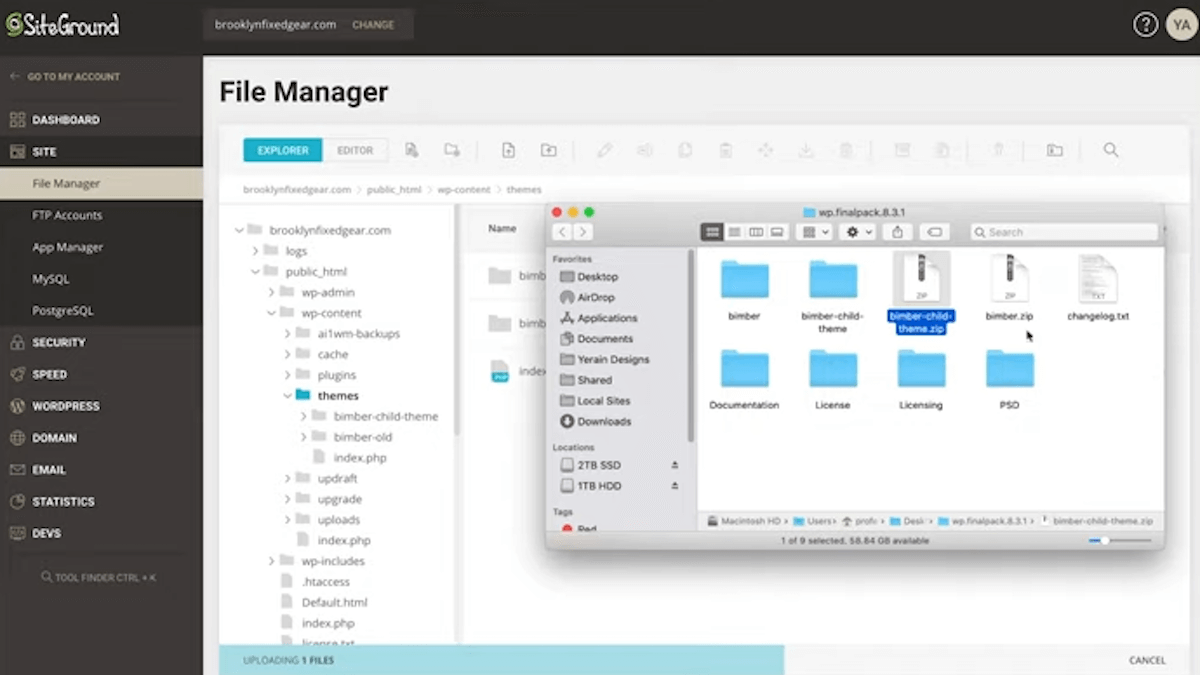
We have our Bimber zip here. If you double-click it, nothing happens. You have to right-click it and go to extract.
So now we have Bimber right here. But don’t close the video just yet because we’re not done yet. For some reason, when extracting this file here, the real file is inside of this file. See, I just double-clicked it, and this is the file that contains everything we need.
So how can we fix this? Go into the file that was just extracted and rename it again. The point of doing that is so that I could drag this file up to my theme’s folder.
The correct file should be named Bimber theme in your folder. How can we verify that? I double-click it, and here are all the files that I need.
Verify the installation
Now, I’m going to verify this by going into the backend of WordPress and ensuring that it’s up to the new 8.3.1. If I double-click this, you’ll see that all the files are in there, and we didn’t touch the child theme, so we’re not to worry about that.
If you recall, we were running version 8.3, which you see right here. Now, when I refresh this page, it changes to 8.3.1.
If you’re getting an error that says, “Bimber child team doesn’t have a parent, please delete the child theme,” or something like that. It’s because you didn’t go into the Bimber theme after extracting it and dragging the real theme from inside. Once you do that, the error you see here should disappear.
Are you a visual learner? Check out my video below, titled “How to Manually Update Bimber WordPress Theme on Site Ground with Ease!” from my YouTube channel, as I show you all this firsthand.
Frequently asked questions (FAQ)
Do you still have questions? Below are some of the most commonly asked questions about WordPress themes.
How do I change my WordPress SiteGround theme?
You may switch WordPress themes in real-time. Go to Appearance > Themes on the Dashboard, choose the theme you want to activate, and then click the Activate button.
How do I update my WordPress theme without losing settings?
Any changes you make using the Appearance > Customize page of WordPress will be saved permanently. Using the theme customizer, you may make changes to your theme and have them automatically saved to your database.
Will updating WordPress break my theme?
No, but it is important always to have a backup in case the developers messed something up on the new update.
Conclusion
Okay, so that concludes this article. What do you think? Let me know in the comments below (I read and reply to every comment). If you found this helpful, check out my full blog and subscribe to my YouTube channel. Thanks for reading!